
Solar
Disconnect MC4 Connector is simple, but you must do it correctly and safely to avoid damage or electrical hazards.
Step 1: Ensure Safety First
- Turn off the solar system (inverter + DC isolator)
- Make sure there is no current flowing
- If possible, disconnect during low sunlight (or cover panels)
Note: MC4 connectors can still carry high DC voltage, which is more dangerous than AC when unplugging.

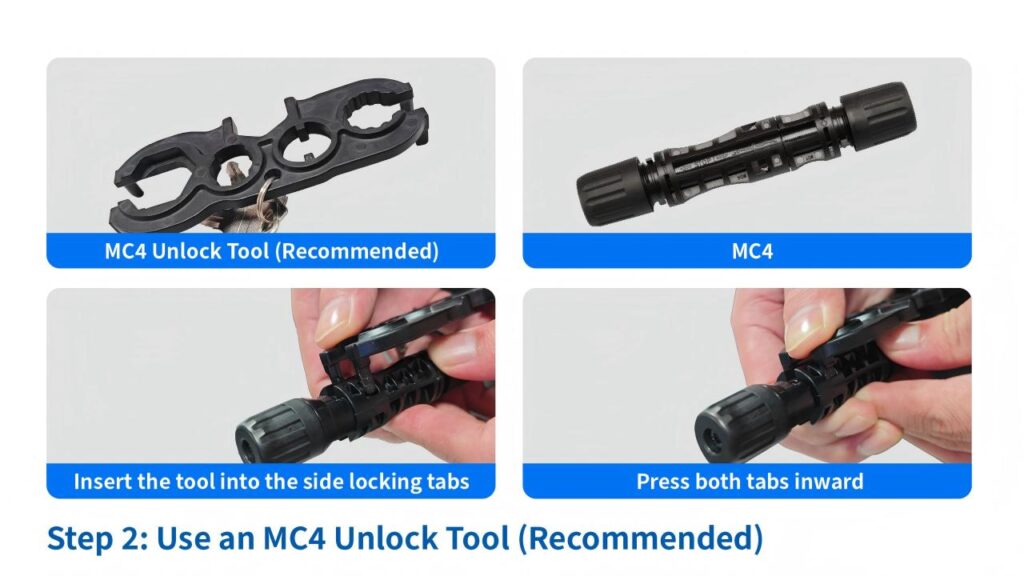
Step 2: Use an MC4 Unlock Tool (Recommended)
- Use a dedicated MC4 spanner tool (plastic key)
- Insert the tool into the side locking tabs
- Press both tabs inward
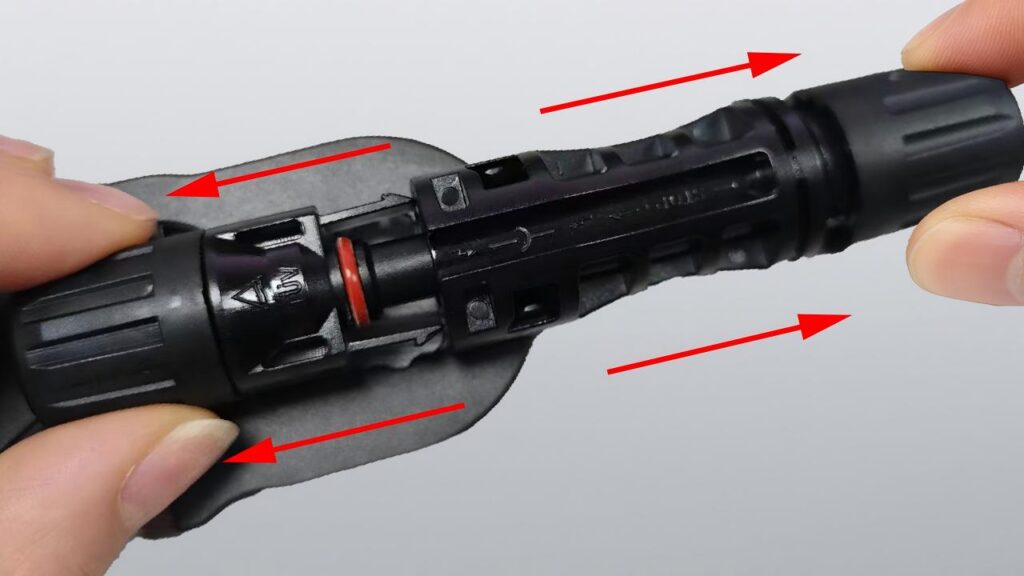
Step 3: Pull Apart the Connector
- While pressing the tabs, pull the connectors apart firmly
- Do NOT twist excessively (can damage internal contacts)
If You Don’t Have a Tool (Not Ideal)
You can use:
- Small flathead screwdriver
- Your fingers (if accessible)
But:
- Be careful not to break the locking clips
- Avoid damaging the waterproof seal

Looking for reliable MC4 connectors
Can you disconnect MC4 connectors under load?
It is very important never to connect or disconnect them under load, even on low-voltage (12–48 V) systems. An electric arc may form which can melt and seriously damage contact materials, resulting in high resistance and subsequent overheating.
Do you need a tool to remove MC4 connectors?
If you only need to disconnect a small number of connectors, you can—with some effort—manage to do so by hand. However, if you are dealing with a large volume and need to perform reassembly work, you will require the assistance of MC4 connector tools.
Common Mistakes to Avoid
- Pulling without releasing the lock → breaks connector
- Disconnecting under load → causes arcing
- Using metal tools carelessly → short circuit risk
- Twisting too hard → damages pins